Mastering Digital Texture: A Guide to Using 54 Realistic Watercolor Brushes in Adobe Illustrator
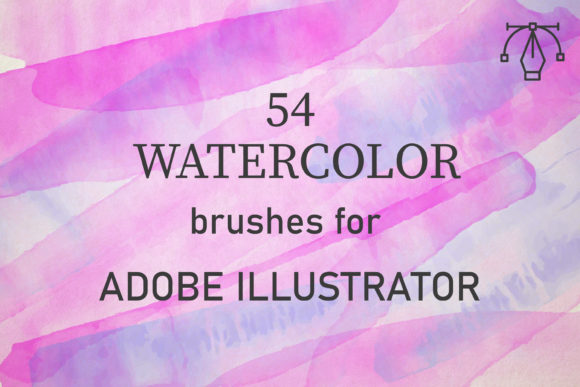
In the evolving landscape of digital design, the line between traditional artistry and vector precision continues to blur. For many designers, Adobe Illustrator is synonymous with clean lines, sharp edges, and scalable graphics. However, there is a growing demand for organic, hand-crafted aesthetics within these digital workflows. This is where specialized tools come into play. Specifically, a collection of 54 unique vector watercolor brushes offers a bridge between the fluid unpredictability of real paint and the technical reliability of vector software.
This article explores how these specific brushes function, why they are significant for modern creatives, and how you can leverage them to elevate your design projects. Whether you are a beginner looking to add texture to your work or an experienced designer seeking efficiency, understanding these tools can transform your creative output.
The Fusion of Vector Precision and Organic Texture
Traditionally, watercolor painting is a medium defined by its transparency, flow, and the way pigments settle on paper. It is chaotic and beautiful. In contrast, vector graphics are mathematical; they are precise and rigid. Combining these two worlds might seem contradictory, but it is exactly this contrast that creates compelling visual interest.
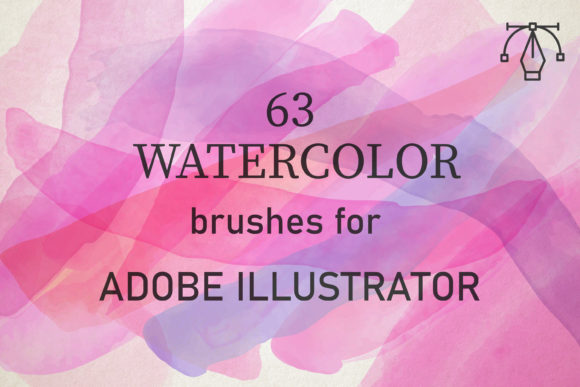
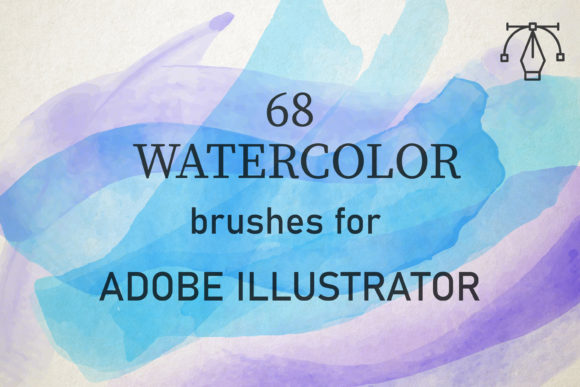
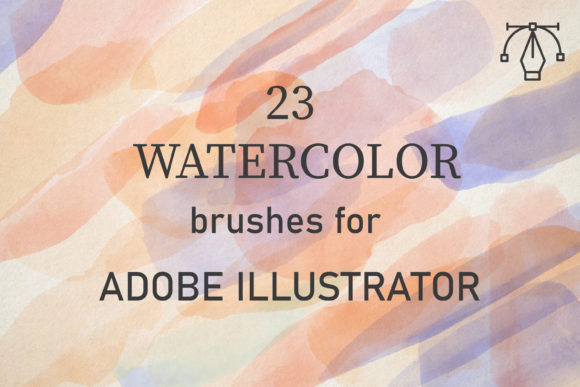
The pack of 54 watercolor brushes discussed here is not merely a set of static images. These are dynamic vector brushes created from reality-based watercolor scans. This means they perfectly convey the texture of paints, including the subtle granulation and edge variations that make watercolor distinct. Because they are vector-based, they remain crisp at any size, unlike raster images which can pixelate when scaled up.
Why Choose Vector Watercolor Over Raster?
Many designers default to Photoshop for textured effects, using raster brushes. While effective, raster files have limitations. They are resolution-dependent and can become heavy in file size. The 54 Watercolor Brushes for Illustrator solve this problem. Since they are compatible with Adobe Illustrator CC and above on both PC and Mac, they integrate seamlessly into logo design, packaging, and large-format printing where scalability is non-negotiable.
Understanding the Toolkit: What Is Included?
When you acquire this resource, you are not just getting a random assortment of shapes. You receive a carefully curated library designed for versatility. The download comes as a single zipped file containing an AI set. Inside, you will find AI files that include one comprehensive set of 54 brushes.
Each brush in this collection has been crafted to mimic different aspects of watercolor application. Some may resemble broad washes, while others might look like dry-brush strokes or detailed splatters. This variety allows you to build complex compositions without needing to switch between multiple software programs.
- Compatibility: Works with Adobe Illustrator CC and newer versions.
- Platform Support: Fully functional on both Windows and macOS.
- Format: Native .ai files for easy installation and editing.
- Quantity: 54 unique brush styles derived from real watercolor textures.
Practical Application: How to Use These Brushes Effectively
Having the tools is only half the battle; knowing how to wield them is what separates amateur attempts from professional designs. Real watercolors are applied by building up layers of washes to create tone. To replicate this digitally, you must adopt a similar mindset. These brushes are amazingly easy to use, but they require a specific technique to look authentic.
Step-by-Step Workflow for Realistic Results
- Installation: First, ensure you have the AI file open in Illustrator. Load the brush library through the Brushes panel menu.
- Stroke Application: Draw your initial shapes. Do not worry if they look flat initially. The magic happens in the adjustment phase.
- Blend Modes: This is the most critical step. To use them effectively, just set the blend mode to Multiply or Darken. This allows the colors to interact similarly to how transparent paint layers interact on paper.
- Opacity and Color: Change the opacity to control the intensity of the "wash." Lower opacity mimics a watery, diluted paint, while higher opacity looks like concentrated pigment.
- Layering: Overlap the strokes. By building up that texture and tone through multiple passes, you create depth and visual interest that a single stroke cannot achieve.
By following this method, you can easily create any watercolor background and use it on many design projects. The key is patience and layering. Just as a traditional painter waits for layers to dry or blends wet-on-wet, you adjust your digital layers to achieve the desired saturation.
Versatility in Modern Design Projects
The utility of these 54 brushes extends far beyond simple illustrations. In today’s market, brands are moving away from sterile, corporate aesthetics toward more human, approachable visuals. Watercolor textures provide warmth and authenticity.
Wedding and Event Stationery: One of the most popular uses for watercolor vectors is in invitation design. The soft edges and romantic feel of watercolor pair perfectly with elegant typography. Using these brushes, designers can create custom backgrounds that feel hand-painted but remain print-ready.
Packaging Design: For products ranging from organic teas to artisanal soaps, a watercolor aesthetic signals natural ingredients and care. The ability to scale these vector brushes means they can be used on small labels or large box displays without losing quality.
Digital Marketing Assets: Social media graphics often benefit from textured backgrounds to stand out in a feed dominated by flat colors. These brushes allow marketers to create unique headers and post backgrounds quickly.
Common Misconceptions About Digital Watercolor
There are a few assumptions beginners often make when starting with digital watercolor brushes. Clarifying these can save time and frustration.
Misconception 1: It should look perfect immediately.
Reality: Real watercolor is imperfect. If your digital strokes look too uniform, vary your pressure (if using a tablet) or manually adjust the width profile of the stroke. Embrace the irregularities.
Misconception 2: More colors are better.
Reality: Traditional watercolor paintings often rely on a limited palette. Stick to three or four complementary colors and use the Multiply blend mode to create secondary tones. This creates harmony rather than chaos.
Misconception 3: Vectors can't look organic.
Reality: As demonstrated by this pack of 54 brushes, vector paths can be shaped and textured to mimic organic media convincingly. The secret lies in the source material—these brushes were created from reality watercolor, ensuring the texture is authentic.
Maximizing Creative Potential
To truly enjoy yourself with brushes that are both well-made and full of creative potential, experiment beyond their intended use. Try combining different brushes from the set. Use a broad wash brush for the background and a detailed splatter brush for accents. Play with color gradients within a single stroke.
Furthermore, consider the psychological impact of your design. Watercolor evokes feelings of calm, creativity, and nostalgia. By integrating these elements into your work, you are not just adding decoration; you are setting an emotional tone for your audience.
Conclusion
The 54 Watercolor Brushes for Illustrator represent a powerful tool for modern designers who wish to blend the best of both worlds: the scalability and precision of vector graphics with the soulful texture of traditional paint. Compatible with Adobe Illustrator CC and above on both PC and Mac, this pack offers a seamless workflow for creating stunning, organic designs.
By understanding how to layer strokes, adjust blend modes to Multiply or Darken, and manipulate opacity, you can unlock the full potential of these tools. Whether you are designing a wedding invitation, a product label, or a digital background, these brushes provide the flexibility and quality needed to produce professional results. Embrace the texture, experiment with layering, and let your creativity flow as freely as watercolor on paper.
For those ready to enhance their design toolkit, remember that the value lies not just in the number of brushes, but in how they are applied. With practice, these 54 unique assets will become an indispensable part of your creative process, allowing you to create art that is both technically sound and visually captivating.