Mastering Organic Texture: A Guide to 68 Watercolor Brushes for Illustrator
In the rapidly evolving landscape of digital design, there is a persistent tension between the precision of vector graphics and the organic imperfection of traditional media. For decades, Adobe Illustrator has been the gold standard for clean lines, scalable logos, and geometric perfection. However, modern visual communication increasingly demands warmth, humanity, and tactile depth. This is where the 68 Watercolor Brushes for Illustrator become an essential tool in the contemporary designer’s arsenal. By bridging the gap between rigid vector paths and fluid artistic expression, these tools allow creators to infuse their work with the authentic texture of hand-painted art without sacrificing the scalability and editability that define professional workflows.
The Shift Toward Authenticity in Digital Design
We are currently witnessing a significant shift in consumer aesthetics. After years of flat design and ultra-minimalist interfaces, audiences are craving visual content that feels handmade and genuine. This trend is not merely a stylistic fad; it reflects a broader cultural desire for authenticity. Brands, educators, and content creators are moving away from sterile, corporate-looking visuals toward designs that convey personality and craft. Watercolor, with its inherent unpredictability and soft edges, is perfectly suited to meet this demand.
Traditionally, incorporating watercolor effects into digital projects required scanning physical paintings or using raster-based software like Photoshop. While effective, these methods often resulted in large file sizes and a lack of flexibility. If a client requested a color change or a slight adjustment to the composition, the designer had to start over or engage in complex masking procedures. The introduction of high-quality vector watercolor brushes changes this dynamic entirely. It allows for the creation of assets that look hand-painted but behave like standard vector objects.
Understanding the Toolset: Compatibility and Quality
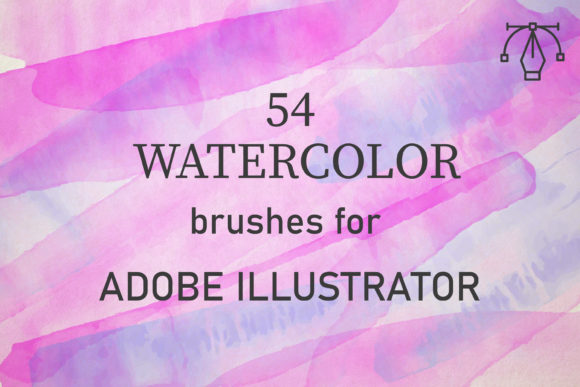
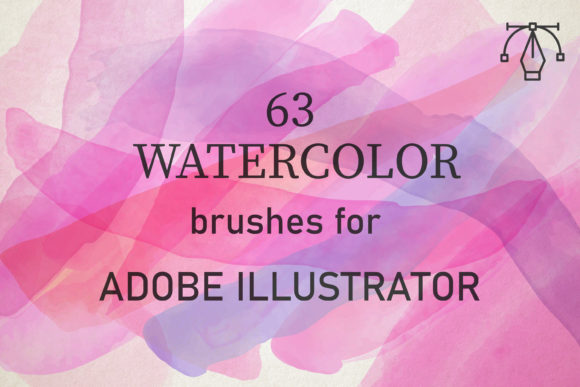
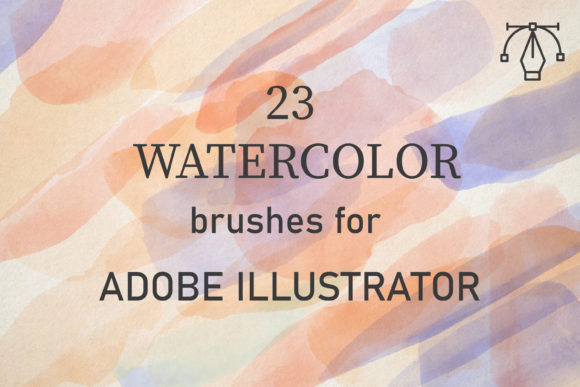
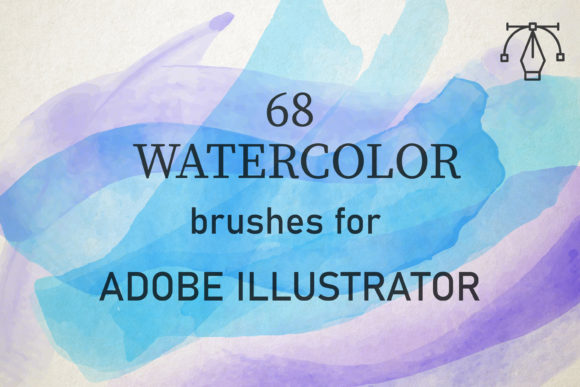
The core value of this specific collection lies in its technical foundation. These brushes are compatible with Adobe Illustrator CC and above, ensuring they integrate seamlessly into modern creative suites on both PC and Mac platforms. This cross-platform compatibility is crucial for collaborative teams and freelancers who may switch between operating systems. The pack contains 68 unique vector watercolor brushes, each meticulously crafted to convey the texture of real paints.
Unlike generic brush sets that rely on simple transparency masks, these brushes are created from reality watercolor sources. This means the underlying data captures the nuanced behavior of pigment on paper—the way colors pool, bleed, and dry. When you apply these brushes, you are not just applying a static image; you are utilizing a sophisticated vector structure that mimics the physical properties of water-based media. This attention to detail ensures that the output does not look like a digital filter applied to a shape, but rather like genuine artwork.
Workflow Integration: From Setup to Execution
One of the most common misconceptions about digital painting in vector software is that it is difficult or counterintuitive. However, these brushes are designed to be amazingly easy to use, even for those who primarily identify as graphic designers rather than illustrators. The learning curve is minimal, allowing users to enjoy themselves with brushes that are both well-made and full of creative potential.
To achieve the best results, understanding the interaction between brush settings and blend modes is key. Real watercolors are applied by building up layers of washes to create tone and depth. You can replicate this process digitally by following a few simple steps:
- Set the Blend Mode: Change the blend mode of your brush strokes to Multiply or Darken. This allows subsequent layers to interact with the colors beneath them, simulating the way wet paint mixes on paper.
- Adjust Opacity: Lowering the opacity enables you to build up intensity gradually. Start with light washes and add darker tones where needed.
- Overlap Strokes: Do not be afraid to let strokes overlap. In traditional watercolor, overlapping wet areas creates beautiful, unpredictable blooms. By overlapping vector strokes with the correct blend modes, you achieve a similar organic effect.
- Vary Color and Pressure: Experiment with different hues and stroke weights to add visual interest and movement to your composition.
This method allows you to easily create any watercolor background and use it on many design projects, from wedding invitations and branding packages to social media graphics and editorial illustrations. The ability to tweak these elements non-destructively is a significant advantage over raster-based alternatives.
Practical Applications for Entrepreneurs and Creators
For entrepreneurs and small business owners, the availability of high-quality artistic assets at a reasonable price is a game-changer. Professional custom illustration can be prohibitively expensive and time-consuming. With the 68 Watercolor Brushes for Illustrator, business owners can create unique, branded visuals in-house. Whether you are designing a logo for a boutique coffee shop, creating packaging for artisanal products, or developing marketing materials for a wellness brand, these brushes provide the aesthetic sophistication needed to stand out in a crowded market.
Educators and bloggers also benefit significantly from this toolset. Visual aids that feel warm and approachable can enhance engagement and retention. Instead of relying on stock photography that may feel impersonal, creators can generate custom headers, icons, and decorative elements that align perfectly with their voice and message. The versatility of the 68 brushes means you are not limited to a single style; you can create delicate florals, bold abstract backgrounds, or subtle textural accents.
Technical Specifications and Support
When investing in digital assets, reliability and support are paramount. This package is delivered as a total of 1 zipped file containing an AI set. Inside, you will find AI files that include one comprehensive set of 68 brushes. This straightforward delivery method ensures that installation is quick and hassle-free. Once loaded into your Illustrator library, the brushes are ready to use immediately.
The creator of this pack emphasizes a commitment to customer satisfaction. The stated goal is to make high-quality artwork available for entrepreneurs at a reasonable price, democratizing access to professional-grade design tools. Furthermore, there is a clear channel for assistance: if you have ANY problems or concerns, you are encouraged to contact the creator directly. This level of support is rare in the digital asset marketplace and provides peace of mind for buyers who may be new to using specialized brush sets.
Why Vector Watercolor Matters for the Future
As display technologies improve and screens become higher resolution, the demand for scalable, crisp graphics remains constant. Raster images can pixelate when enlarged, limiting their use in large-format printing or responsive web design. Vector watercolor brushes solve this problem by maintaining infinite scalability. You can design a small icon for a mobile app and then scale that same element up for a billboard without any loss in quality or texture fidelity.
This future-proofing aspect makes the 68 Watercolor Brushes for Illustrator a smart long-term investment. They fit into modern workflows that prioritize efficiency, flexibility, and high-quality output. By mastering these tools, designers and creators can expand their service offerings, reduce reliance on external illustrators, and produce work that resonates emotionally with their audience.
In conclusion, the integration of organic texture into digital design is no longer a niche skill but a fundamental requirement for compelling visual communication. These brushes offer a practical, accessible, and powerful solution for anyone looking to add the beauty of watercolor to their vector projects. With ease of use, broad compatibility, and a focus on realistic texture, they empower users to create stunning, professional-grade artwork efficiently.