Mastering Digital Texture: A Guide to 63 Watercolor Brushes for Illustrator
In the evolving landscape of digital design, the line between traditional media and vector graphics continues to blur. Designers are constantly seeking tools that offer the organic warmth of hand-painted art while retaining the scalability and precision of digital files. This is where the 63 Watercolor Brushes for Illustrator pack emerges as a significant resource for creatives. By bridging the gap between analog texture and digital efficiency, this collection allows users to infuse their projects with authentic artistic character without the mess or unpredictability of physical paints.
The Fusion of Reality and Vector Precision
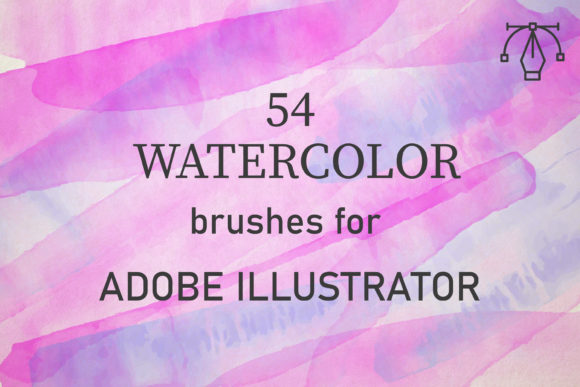
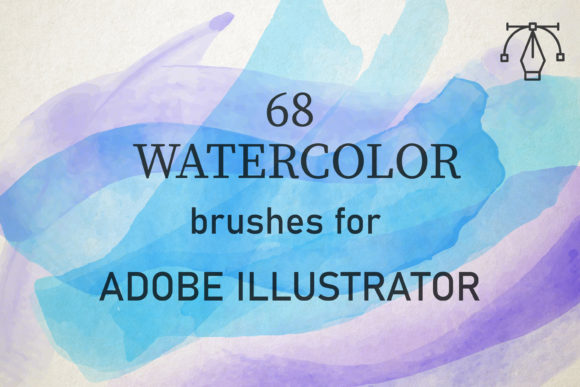
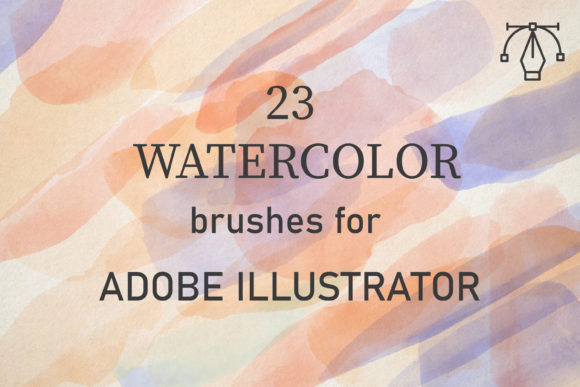
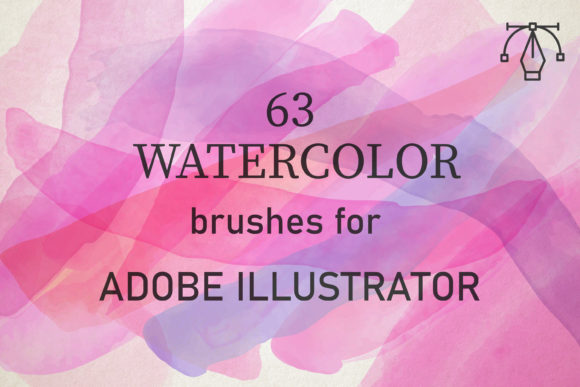
One of the primary challenges in digital illustration is replicating the subtle imperfections that make traditional art feel alive. Standard vector strokes often appear too clean, too uniform, and ultimately sterile. The 63 Watercolor Brushes for Illustrator address this by utilizing high-fidelity scans of real watercolor applications. Created from reality watercolor, these brushes perfectly convey the texture of paints, capturing the granulation, bleeding edges, and variable opacity that define the medium.
Unlike raster-based brushes that can lose quality when scaled, this pack consists of unique vector watercolor brushes. This means every stroke remains crisp and editable regardless of size. Whether you are designing a small icon or a large-format banner, the integrity of the watercolor texture is preserved. This compatibility with Adobe Illustrator CC and above on both PC and Mac ensures that professionals across different workflows can integrate these tools seamlessly into their existing pipelines.
Understanding the Workflow: Layers and Blend Modes
To truly leverage the potential of this brush set, it is essential to understand how digital watercolor differs from its physical counterpart. Real watercolors are applied by building up layers of washes to create tone and depth. The 63 Watercolor Brushes for Illustrator mimic this process through specific technical settings rather than chemical reactions.
The key to achieving realistic results lies in the interaction between strokes. Users are encouraged to use blend modes such as Multiply or Darken. When you overlap strokes using these settings, the colors deepen naturally, simulating the way pigment accumulates on paper. Additionally, adjusting the opacity allows for the creation of translucent washes, enabling the underlying layers to show through. This method requires a shift in mindset from drawing single lines to painting with accumulated layers, offering a more intuitive and creative experience.
Key Features of the Brush Pack
- Authentic Texture: Derived from real watercolor scans, ensuring genuine artistic feel.
- Vector Scalability: Maintains high resolution at any size, suitable for print and web.
- Comprehensive Variety: Includes 63 unique brushes covering various strokes, splatters, and washes.
- Cross-Platform Compatibility: Works on both Windows and macOS systems.
- Easy Integration: Simple installation via AI files compatible with Illustrator CC and newer versions.
Practical Applications for Designers
The versatility of the 63 Watercolor Brushes for Illustrator makes them suitable for a wide array of design projects. Their ability to soften rigid geometric shapes adds a human touch to commercial work, making brands feel more approachable and organic.
- Background Creation: One of the most common uses is creating watercolor backgrounds. By layering soft washes, designers can generate unique, non-repetitive backdrops for websites, presentations, or packaging that do not distract from the main content.
- Typography Enhancement: Applying watercolor textures behind or within letterforms can transform standard typography into eye-catching headlines for posters and social media graphics.
- Illustrative Accents: For editorial illustrations or book covers, these brushes can add depth to characters and landscapes, providing a storybook aesthetic that resonates with audiences.
- Branding Elements: Businesses in the wellness, organic food, or artisanal sectors often benefit from the natural look of watercolor, which communicates purity and craftsmanship.
Evaluating Suitability for Your Projects
While the 63 Watercolor Brushes for Illustrator are powerful, they are not a one-size-fits-all solution. Understanding when to use them is as important as knowing how. These brushes excel in projects requiring an emotional connection or a handcrafted feel. However, for ultra-modern, minimalist, or corporate tech branding, the organic irregularity might clash with the desired aesthetic.
It is also important to consider the learning curve. Although the brushes are described as amazingly easy to use, achieving professional results requires practice. Users must experiment with pressure sensitivity (if using a tablet), opacity levels, and layer ordering. Those accustomed to precise, mathematical vector drawing may initially find the unpredictable nature of watercolor textures challenging, but this unpredictability is precisely what yields creative breakthroughs.
Technical Considerations and File Management
The package arrives as a total of 1 zipped file containing an AI set. Inside, you will get AI files that include one set of 63 brushes. Installation is straightforward for those familiar with Adobe Illustrator’s library management. However, because these are vector-based, complex overlapping of many brush strokes can increase file size and processing load. It is advisable to expand appearances only when necessary and to keep layers organized to maintain workflow efficiency.
Furthermore, while the brushes are compatible with Illustrator CC and above, users on very old versions may face compatibility issues. Ensuring your software is updated guarantees access to the latest rendering engines that handle transparency and blend modes more effectively.
Maximizing Creative Potential
To get the most out of the 63 Watercolor Brushes for Illustrator, designers should adopt an experimental approach. Do not limit yourself to standard color palettes. Watercolor thrives on unexpected color interactions. Try combining warm and cool tones in the same wash to see how they blend digitally. Use the scatter and size variation settings within the brush options to customize the behavior of each stroke, creating everything from fine details to broad, sweeping gestures.
Another effective technique is masking. Instead of erasing parts of a watercolor stroke, use vector masks to reveal only certain areas. This preserves the integrity of the original brush shape while allowing for precise composition control. This non-destructive workflow is a hallmark of professional vector illustration and pairs perfectly with the flexible nature of these brushes.
Conclusion
The 63 Watercolor Brushes for Illustrator represent a valuable addition to any digital artist’s toolkit. They offer a practical solution for incorporating the beauty of traditional media into modern design workflows. By understanding the technical nuances of blend modes and layering, users can unlock a vast range of creative possibilities. Whether you are a seasoned illustrator looking to streamline your process or a beginner eager to explore digital painting, this pack provides the tools necessary to create stunning, textured artwork. Enjoy yourself with brushes that are both well-made and full of creative potential, and let the organic flow of watercolor elevate your next design project.