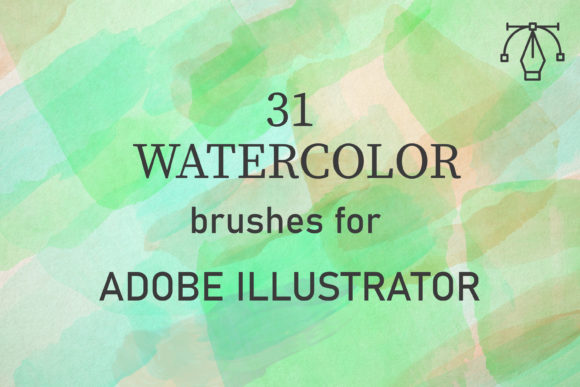
31 Watercolor Brushes for Illustrator
Digital design often struggles to capture the organic imperfection of traditional media. We spend hours trying to replicate the bleed, texture, and unpredictability of paint on paper using rigid vector tools. This is where 31 Watercolor Brushes for Illustrator changes the workflow entirely. Designed specifically for Adobe Illustrator CC and above, this collection bridges the gap between digital precision and artistic fluidity. Whether you are working on a PC or Mac, these brushes offer a seamless way to introduce hand-painted aesthetics into your vector projects without sacrificing scalability or editability.
The core value of this pack lies in its authenticity. These are not generic, computer-generated shapes. They are created from real watercolor applications, capturing the genuine texture of paints as they interact with paper. By digitizing actual brushstrokes, the pack preserves the subtle granulation and edge variations that make watercolor so visually appealing. For designers, illustrators, and marketers, this means access to a library of assets that feel human-made, adding warmth and character to otherwise sterile digital compositions.
Mastering the Technique: Layers and Blend Modes
Understanding how to use these brushes effectively is key to unlocking their potential. Real watercolors rely on building up layers of washes to create depth, tone, and shadow. Digital watercolor mimics this process through specific settings in Illustrator. The 31 Watercolor Brushes for Illustrator are engineered to work harmoniously with standard blending modes, particularly Multiply and Darken.
To achieve a realistic look, start by setting your brush stroke’s blend mode to Multiply. This allows colors to overlap naturally, darkening where strokes intersect, just like wet paint on paper. Adjusting the opacity is equally critical. Lower opacity levels allow underlying textures and colors to show through, creating soft transitions and atmospheric effects. By overlapping strokes with varying opacity, you build up tone gradually. This method prevents the flat, uniform appearance that often plagues digital art, replacing it with rich, complex textures that invite closer inspection.
The ease of use is a significant advantage. You do not need advanced technical skills to start creating compelling backgrounds or illustrations. Simply select a brush from the AI set, adjust your color palette, and begin painting. The brushes respond intuitively to pressure and speed if you are using a tablet, but they also produce excellent results with a mouse. This accessibility makes them ideal for freelancers and small business owners who need high-quality visuals quickly without hiring a specialized illustrator.
Versatile Applications Across Design Disciplines
The versatility of this brush pack extends far beyond simple illustration. Because the brushes are vector-based, they remain crisp at any size, making them suitable for everything from social media graphics to large-format printing. Here is how different creators can adapt these tools for their specific needs:
- Brand Identity and Packaging: Artisanal brands, organic food companies, and boutique hotels often seek a handmade aesthetic to convey authenticity. Using these watercolor brushes for logo accents, label backgrounds, or packaging patterns can evoke feelings of craftsmanship and care. The soft edges contrast beautifully with clean typography, creating a balanced and sophisticated look.
- Wedding and Event Stationery: Invitations and save-the-dates benefit greatly from the romantic, airy quality of watercolor. Designers can create custom floral wreaths, abstract backdrops, or delicate borders. The ability to change colors easily means one brush set can serve multiple themes, from pastel spring weddings to deep, moody autumn celebrations.
- Digital Marketing and Social Media: In a feed dominated by sharp, high-contrast images, watercolor elements stand out by offering visual relief. Bloggers and content creators can use these brushes to highlight quotes, create unique post backgrounds, or design eye-catching story templates. The organic feel helps humanize brands, making them appear more approachable and relatable.
- Educational Materials and Publishing: Educators and publishers can use these brushes to soften textbook layouts, create engaging worksheet headers, or illustrate children’s books. The gentle nature of watercolor is less distracting than bold geometric shapes, helping maintain focus on the content while keeping the design engaging.
Creative Possibilities and Style Variations
With 31 unique brushes included in the single zipped file, the range of expressive possibilities is vast. Some brushes may offer broad, sweeping washes ideal for backgrounds, while others provide fine, detailed lines for intricate details. Experimentation is encouraged. Try combining different brushes within the same piece to create contrast between soft areas and defined edges.
Consider the concept of "controlled chaos." Watercolor is inherently unpredictable, but in Illustrator, you have full control. You can stretch, rotate, and recolor each stroke independently. This allows for a hybrid style where the texture feels spontaneous, but the composition remains structured and intentional. For example, you might use a loose, watery brush to create a sky background, then overlay sharper, drier brushstrokes to define mountains or trees. This layering technique adds dimension and visual interest.
Color theory plays a crucial role here. While the brushes provide the texture, your color choices dictate the mood. Monochromatic schemes using varying shades of a single hue can create elegant, minimalist designs. Conversely, complementary colors can generate vibrant, energetic compositions. Because the brushes blend via Multiply mode, mixing colors digitally becomes an intuitive process of layering rather than complex gradient mesh manipulation.
Practical Tips for Consistent Results
To ensure your designs remain professional and cohesive, keep a few practical guidelines in mind. First, organize your layers. Keep your watercolor elements on separate layers from your text and vector shapes. This non-destructive workflow allows you to tweak the opacity or position of the paint strokes without affecting other design elements. It also makes it easier to experiment with different blend modes until you find the perfect interaction.
Second, maintain consistency in your texture usage. If you are designing a multi-page document or a brand suite, stick to a subset of brushes from the pack. Using all 31 brushes in one project can lead to a disjointed look. Select three to five favorites that complement each other and use them throughout your design system. This creates a recognizable visual language that audiences can associate with your brand or style.
Finally, remember that less is often more. Watercolor textures are powerful visual elements. Overusing them can clutter a design and reduce readability. Use them strategically to guide the viewer’s eye, highlight key information, or add emotional resonance. A subtle wash behind a headline can be more effective than a fully painted background.
Why Choose Vector Watercolor?
Traditional raster-based watercolor brushes in programs like Photoshop are limited by resolution. Scale them up too much, and they pixelate. The 31 Watercolor Brushes for Illustrator solve this problem by being fully vector. This means you can scale a tiny flower accent to the size of a billboard without losing any detail or sharpness. For entrepreneurs and publishers who need assets that work across various formats—from business cards to website banners—this scalability is invaluable.
Moreover, vector files are generally smaller and easier to manage than high-resolution raster images. The included AI file contains the entire set, ready to be dragged and dropped into your workspace. There is no need for complex installation processes or compatibility issues. As long as you have Adobe Illustrator CC or above, you are ready to create.
In conclusion, this brush pack is more than just a tool; it is an invitation to explore a softer, more expressive side of digital design. It empowers creators to produce work that feels authentic and handcrafted, even in a digital environment. By mastering the simple techniques of layering and blending, you can unlock a world of creative potential, producing designs that resonate with audiences on an emotional level. Whether you are a seasoned designer or a hobbyist looking to elevate your projects, these brushes provide the perfect foundation for beautiful, timeless artwork.