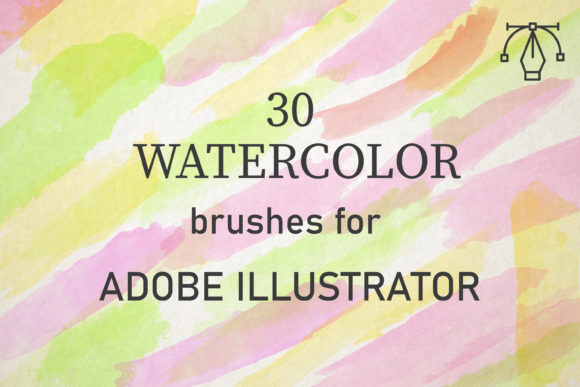
30 Watercolor Brushes for Illustrator
Digital design often struggles to capture the organic imperfection of traditional media. The sterile precision of vector graphics can sometimes feel cold or overly manufactured, lacking the warmth and texture that hand-painted elements bring to a composition. For designers, illustrators, and marketers who need the aesthetic appeal of watercolor without the mess, drying time, or irreversibility of physical paint, 30 Watercolor Brushes for Illustrator offers a compelling solution. This specialized toolset bridges the gap between digital efficiency and artistic authenticity, allowing creators to produce rich, textured visuals directly within Adobe Illustrator.
These brushes are compatible with Adobe Illustrator CC and above and function seamlessly on both PC and Mac platforms. By integrating thirty unique vector watercolor brushes into your workflow, you gain the ability to mimic the complex behavior of real pigments. Created from scans of reality watercolor applications, these brushes perfectly convey the texture of paints, including the subtle granulation and edge variations that define the medium. Whether you are designing a wedding invitation, crafting a brand identity for an organic product, or illustrating a children’s book, this pack provides the foundational tools needed to elevate your visual communication.
Authentic Texture Through Digital Precision
The primary challenge in replicating watercolor digitally is avoiding the "stamped" look that many basic brushes produce. Real watercolors are applied by building up layers of washes to create tone and depth. Flat, single-layer digital strokes rarely achieve this complexity. The 30 Watercolor Brushes for Illustrator address this by offering vectors that retain the irregularities of natural brushstrokes. Because they are vector-based, they remain crisp at any scale, unlike raster images which can pixelate when enlarged. This makes them ideal for large-format printing, such as posters or packaging, where detail retention is critical.
Using these brushes effectively requires understanding how digital blending mimics physical layering. To achieve the most realistic results, users should set the blend mode to Multiply or Darken. This setting allows overlapping strokes to interact visually, darkening the areas where colors intersect, just as wet paint would on paper. By adjusting the opacity and deliberately overlapping strokes, you can build up texture and tone gradually. This technique transforms simple lines into lush, dimensional backgrounds or intricate illustrations. The result is a design that feels handcrafted and intentional, rather than generated by a computer algorithm.
Streamlining Creative Workflows
For professionals operating under tight deadlines, the time required to scan, clean, and vectorize hand-painted elements can be prohibitive. This pack eliminates those intermediate steps. You will get AI files that include one set of 30 brushes, contained within a single zipped file for easy installation. Once loaded into Illustrator, these tools are immediately available for use. This immediacy supports rapid prototyping and iteration. A graphic designer can test multiple color palettes and compositional arrangements in minutes, a process that might take hours with physical media.
Consider a small business owner creating social media content. Consistency in branding is vital, but producing unique, high-quality visuals daily is challenging. With these brushes, they can create a library of reusable watercolor elements—such as splashes, borders, or background washes—that maintain a cohesive look across all posts. The ease of use means that even those with limited illustration experience can produce professional-grade assets. The brushes are well-made and full of creative potential, requiring only a mouse or tablet to manipulate, lowering the barrier to entry for high-end design aesthetics.
Versatility Across Design Projects
The utility of 30 Watercolor Brushes for Illustrator extends beyond simple illustration. Their versatility makes them suitable for a wide range of design projects. In editorial design, watercolor textures can soften the rigidity of text-heavy layouts, adding visual interest to magazines or blogs. For educators and publishers, these brushes can help create engaging learning materials that feel approachable and friendly. The organic nature of watercolor is particularly effective in industries related to wellness, sustainability, and artisanal goods, where brands seek to convey naturalness and care.
Freelancers and agencies can also leverage these tools to differentiate their offerings. Providing clients with custom watercolor backgrounds or accents adds perceived value to deliverables. Since the brushes are vector-based, they integrate smoothly with other design elements like typography and icons. This compatibility ensures that the final output is technically sound for print and digital distribution. Furthermore, because the pack includes thirty unique variations, designers can avoid repetition. Each brush offers a distinct character, from broad, sweeping washes to fine, detailed edges, allowing for nuanced expression within a single project.
Practical Considerations and Best Practices
While these brushes offer significant advantages, achieving optimal results requires a mindful approach. Users should remember that digital tools simulate reality but do not replicate it exactly. The key to success lies in variation. Avoid using the same brush stroke repeatedly in a predictable pattern. Instead, rotate, scale, and adjust the opacity of each stroke to create a natural, random appearance. Experimenting with different color combinations is also essential. Watercolor relies on transparency; therefore, choosing complementary colors that blend harmoniously when overlaid will yield the most pleasing effects.
It is also important to consider the context of use. While watercolor textures add warmth, they may not be suitable for every brand identity. Corporate finance or high-tech sectors might require cleaner, more geometric aesthetics. However, even in these contexts, subtle watercolor accents can humanize a brand if used sparingly. Always test your designs in their intended medium. Print outputs may render colors differently than screens, so checking proofs is crucial. The vector nature of these brushes ensures that resolution is never an issue, but color accuracy depends on your monitor calibration and printer profile.
Who Benefits Most from This Toolset?
This collection is particularly valuable for several groups. Graphic designers will appreciate the time savings and the ability to offer textured options without leaving their primary software. Illustrators can use these brushes for underpainting or adding texture to otherwise flat vector art. Marketers and bloggers benefit from the ability to create eye-catching headers and backgrounds that stand out in crowded digital feeds. Educators can use the soft, inviting aesthetic to make materials more engaging for students. Even hobbyists with no prior design training can explore creativity, as the brushes handle much of the technical heavy lifting.
Ultimately, the value of 30 Watercolor Brushes for Illustrator lies in its ability to democratize a complex artistic style. It removes the technical hurdles of traditional watercolor while preserving its emotional impact. By providing a reliable, high-quality set of tools that work across platforms, it empowers creators to focus on their message rather than their method. Whether you are looking to enhance a portfolio, refresh a brand, or simply explore new creative avenues, this pack offers a practical and effective way to incorporate the timeless beauty of watercolor into your digital workflow.
To begin using these tools, simply download the zipped file and open the included AI set. Install the brushes into your Adobe Illustrator library, and start experimenting with blend modes and opacity settings. The learning curve is gentle, but the potential for creative expression is vast. By mastering these thirty unique brushes, you equip yourself with a versatile asset that can enhance virtually any design project, ensuring your work stands out with authenticity and style.