Mastering Digital Sketching with Graphite GeneralPencil Procreate Brushes
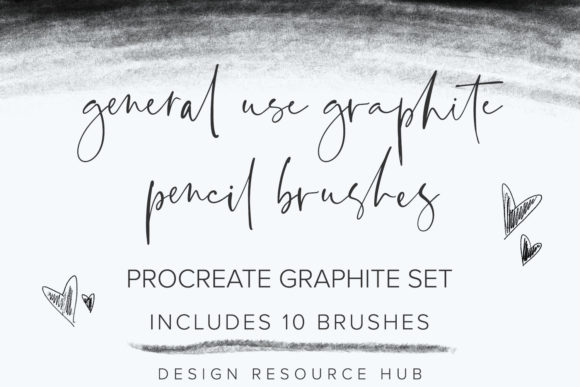
The transition from traditional paper to a digital canvas is one of the most significant shifts an artist can make. For many, the allure of the iPad and the Apple Pencil lies in the promise of infinite undo buttons and layers without the mess of charcoal dust or graphite smudges. However, a common frustration arises when standard digital tools fail to replicate the tactile resistance and organic texture of real pencil on paper. This is where specialized tools become essential. The Graphite GeneralPencil Procreate Brushes set offers a bridge between these two worlds, providing a curated collection of ten handmade brushes designed specifically to mimic the nuanced behavior of graphite.
Understanding the unique capabilities of this toolset requires looking beyond simple aesthetics. It is about workflow efficiency, artistic authenticity, and the specific technical requirements of the Procreate ecosystem. Whether you are a seasoned illustrator looking to refine your sketching process or a beginner eager to create professional-grade branding materials, understanding how to leverage these brushes can significantly elevate your digital art practice.
Bridging the Gap Between Traditional and Digital Media
One of the primary challenges digital artists face is the "sterile" look of default brushes. Standard digital lines often appear too perfect, lacking the subtle grain, pressure variation, and textural imperfections that give hand-drawn artwork its soul. Artists seeking to create posters, logo designs, or custom artwork often find themselves spending excessive time adding noise or texture overlays in post-production to combat this digital flatness.
The Graphite GeneralPencil Procreate Brushes address this issue at the source. By utilizing stamps and textures created with Apple Pencil pressure in mind, these brushes react dynamically to your hand movements. This means that a light touch produces a faint, grainy mark, while increased pressure yields a darker, more saturated line, just as it would with a physical 2B or 4B pencil. This responsiveness allows for a more intuitive drawing experience, reducing the cognitive load required to fake realism and letting you focus on composition and form.
Why Specificity Matters: Procreate Exclusivity
It is crucial to note that the Graphite GeneralPencil Procreate Brushes are not universal assets. They are engineered exclusively for the Procreate app on iPad. This specificity is a strength, not a limitation. Procreate’s brush engine handles pressure sensitivity, tilt, and streamline features differently than Adobe Photoshop or other desktop applications. Brushes designed for one platform often behave unpredictably or lose their intended character when imported into another.
By focusing solely on Procreate, the creators of this set have optimized each of the ten brushes to interact seamlessly with the iPad’s hardware. To get the full value out of these tools, using an Apple Pencil is non-negotiable. The pressure curves and texture mapping are calibrated for the precise input data provided by Apple’s stylus. While a basic knowledge of Procreate is recommended to navigate the interface, it is not strictly required. The intuitive nature of these brushes means that even users with minimal technical expertise can achieve impressive results quickly, provided they have the right hardware.
Practical Applications for Designers and Illustrators
The versatility of the Graphite GeneralPencil Procreate Brushes extends far beyond simple sketching. Because the set includes ten distinct variations, it caters to various stages of the creative process and different types of projects. Here is how different professionals might integrate these tools into their workflows:
- Logo Design and Branding: Clients increasingly seek authentic, hand-crafted looks for their brand identities. These brushes allow designers to sketch organic logotypes directly on the iPad. The natural texture adds a human touch that vector-based software often lacks, making brands feel more approachable and artisanal.
- Poster and Print Art: When creating posters, the ability to control line weight and texture is vital for visual hierarchy. The pressure-sensitive nature of these brushes enables artists to create bold, dark headlines and delicate, intricate illustrations within the same piece, maintaining a cohesive aesthetic throughout.
- Concept Art and Storyboarding: Speed and clarity are essential in concept development. The responsive strokes of the Graphite General set allow for rapid ideation. Artists can block out shapes and refine details without switching tools constantly, streamlining the brainstorming phase.
Tailoring Your Approach: From Beginner to Professional
Different users will approach the Graphite GeneralPencil Procreate Brushes with varying goals, and the toolset accommodates this spectrum effectively.
For the Beginner: If you are new to digital art, the learning curve can be steep. These brushes simplify the process by providing predictable, realistic outcomes. You do not need to master complex layer blending modes or texture overlays immediately. Instead, you can focus on fundamental drawing skills. The recommendation here is to start with the softer pencils in the set to practice shading and form, using the Apple Pencil’s tilt feature to broaden your strokes naturally.
For the Professional: Experienced artists may use these brushes for specific textural elements within a larger, mixed-media piece. For instance, a digital painter might use the harder graphite variants for initial underdrawings before moving to color brushes. The key consideration for professionals is integration. Since these brushes are not suitable for Adobe Photoshop, professionals working in a multi-app pipeline must ensure their final output or intermediate files are compatible with their downstream workflow. However, for projects completed entirely within Procreate, these brushes offer a high-fidelity solution that reduces post-processing time.
Maximizing Value and Implementation Tips
To truly benefit from the Graphite GeneralPencil Procreate Brushes, consider the following implementation strategies:
- Calibrate Your Pressure Sensitivity: Before starting a major project, spend ten minutes testing the pressure curve in Procreate’s settings. Adjust it until the lightest touch registers a visible but faint mark, and full pressure gives a rich, dark tone. This ensures the brushes perform as intended.
- Experiment with Canvas Textures: While the brushes themselves have built-in grain, pairing them with a subtle paper texture background in Procreate can enhance the realism. The interaction between the brush stamp and the background layer can create a convincing illusion of physical media.
- Layer Management: Use separate layers for sketching and refining. The organic nature of these brushes means that heavy erasing can sometimes leave artifacts. It is often cleaner to lower the opacity of a rough sketch layer and draw over it with a new layer using a sharper variant from the set.
In conclusion, the Graphite GeneralPencil Procreate Brushes represent a thoughtful solution for artists who value the tactile quality of traditional drawing within the convenience of a digital workflow. By understanding their exclusive compatibility with Procreate and the necessity of the Apple Pencil, users can unlock a level of expressive potential that standard tools often miss. Whether you are designing a minimalist logo or illustrating a detailed poster, these ten handmade brushes provide the reliability and authenticity needed to bring your creative vision to life.