Textured Calligraphy Procreate Brushes: Elevating Digital Lettering with Authentic Handmade Strokes
Digital lettering has come a long way from the sterile, vector-perfect lines of early graphic design software. Today, creators crave authenticity. They want their digital work to carry the warmth, imperfection, and tactile feel of ink on paper. This is where Textured Calligraphy Procreate Brushes step in, bridging the gap between traditional craftsmanship and modern convenience. If you have ever struggled to make your iPad art feel "real," this specific set of tools might be the missing link in your creative workflow.
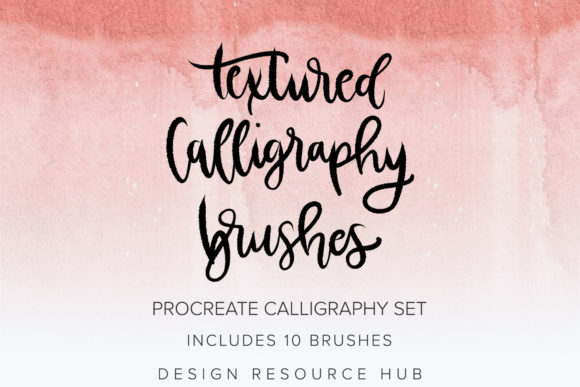
Introducing the Textured Calligraphy Brushes Procreate Brush Set, a curated collection designed exclusively for the Procreate app on iPad. This isn’t just another pack of generic strokes; it is a specialized toolkit containing ten distinct brushes, each handmade to replicate the nuanced behavior of real-world calligraphy tools. Whether you are a seasoned designer or a hobbyist dipping your toes into digital art, understanding how these brushes function can transform your output from flat graphics into compelling visual stories.
Why Texture Matters in Modern Digital Design
In an era saturated with clean, minimalist aesthetics, texture stands out. It adds depth, character, and a human touch that resonates with viewers on a subconscious level. When you use standard digital brushes, the edges are often too sharp, and the color fill is too uniform. This can make branding materials, posters, or social media graphics feel cold or mass-produced.
The Textured Calligraphy Procreate Brushes address this by incorporating organic irregularities into every stroke. These brushes are engineered to respond dynamically to the Apple Pencil’s pressure sensitivity. A light touch yields a delicate, whisper-thin line, while pressing down creates a bold, ink-saturated stroke with natural edge bleed. This responsiveness mimics the physical resistance of nibs against paper, allowing for a level of expression that static stamps simply cannot achieve.
Who Benefits Most from This Brush Set?
While any iPad user with Procreate can enjoy these tools, certain groups will find immediate, practical value in integrating them into their daily workflows.
Brand Designers and Entrepreneurs
For small business owners and marketers, differentiation is key. A logo or brand asset created with textured calligraphy feels bespoke and artisanal. Imagine designing a label for a handmade soap brand or a menu for a farm-to-table restaurant. Using these brushes allows you to create custom typography that aligns with the brand’s earthy, authentic values without hiring a expensive hand-letterer. The result is professional-grade branding that feels personal and approachable.
Social Media Content Creators
Bloggers and influencers constantly need fresh visuals. Standard fonts can look repetitive across feeds. With this brush set, you can quickly whip up unique quote graphics, story headers, or promotional announcements. The textured look stops the scroll because it feels less like an ad and more like a piece of art. It adds a layer of sophistication to Instagram posts or Pinterest pins, helping creators maintain a cohesive yet dynamic aesthetic.
Educators and Workshop Leaders
Teachers and coaches who create digital worksheets, certificates, or presentation slides can use these brushes to add emphasis and warmth. Highlighting key concepts with a textured brush stroke makes educational materials more engaging and less intimidating. It breaks up the monotony of typed text and draws attention to important information in a visually pleasing way.
Real-World Applications and Use Cases
Understanding the theory is one thing, but seeing how these brushes fit into actual projects is another. Here are several scenarios where the Textured Calligraphy Procreate Brushes shine:
- Wedding Invitations and Stationery: Couples often seek a romantic, handcrafted look for their wedding suite. These brushes allow designers to create elegant, flowing scripts that mimic copperplate or modern calligraphy, complete with the subtle grain of high-quality paper.
- Packaging Design: Product packaging needs to stand out on shelves. Using textured lettering for product names or taglines adds a premium, tactile quality that suggests care and quality in the manufacturing process.
- Book Covers and Publishing: Indie authors and publishers can use these brushes to create striking title treatments for novels, especially in genres like romance, historical fiction, or self-help, where emotional connection is vital.
- Personal Art Projects: For hobbyists, these brushes offer a low-stakes way to practice lettering. You can experiment with different pressures and angles without wasting expensive paper or ink, building muscle memory and confidence.
Technical Considerations and Best Practices
Before diving in, it is crucial to understand the technical requirements to get the most out of this investment. First and foremost, these brushes are created specifically for use with the Procreate app on iPad. They are not suitable for Adobe Photoshop, Illustrator, or any other desktop application. Attempting to import them elsewhere will result in frustration and non-functional tools.
Furthermore, hardware matters. These brush stamps are created with Apple Pencil pressure in mind. To get the full value out of the brushes in this set, you must use an Apple Pencil. Finger painting will not trigger the pressure-sensitive dynamics that give these brushes their characteristic texture and variation. If you do not own an Apple Pencil, consider it an essential companion purchase for serious digital lettering.
A basic knowledge of Procreate is recommended, but not required. If you are new to the app, take some time to familiarize yourself with the interface, particularly the brush studio settings and layer management. Understanding how to adjust opacity, flow, and size limits will help you customize the brushes further to suit your specific style. However, even beginners can start creating beautiful work immediately by using the default settings.
Making the Right Choice for Your Creative Toolkit
When considering whether to download or buy this set, think about your current pain points. Are you spending too much time trying to fake texture in post-production? Do your digital letters feel stiff and lifeless? If so, this set offers a direct solution. It saves time by providing ready-made textures that look authentic right out of the box.
However, remember that tools are only as good as the hand wielding them. Practice is essential. Spend time experimenting with the ten different brushes in the set. Each one has a unique personality—some may be better for thick downstrokes, while others excel at fine hairlines. Test them on different background colors and textures to see how they interact. The interplay between the brush texture and the canvas texture can create surprising and beautiful effects.
Ultimately, the Textured Calligraphy Procreate Brushes are more than just a digital product; they are an invitation to slow down and appreciate the art of lettering. They empower creators to produce work that feels human, heartfelt, and distinct. Whether you are designing a logo for a startup, creating a gift for a friend, or simply exploring your creativity, these brushes provide the tools to make your mark with confidence and style.