Smoke Stamp Brushes: Adding Atmosphere and Depth to Your Digital Art in Seconds
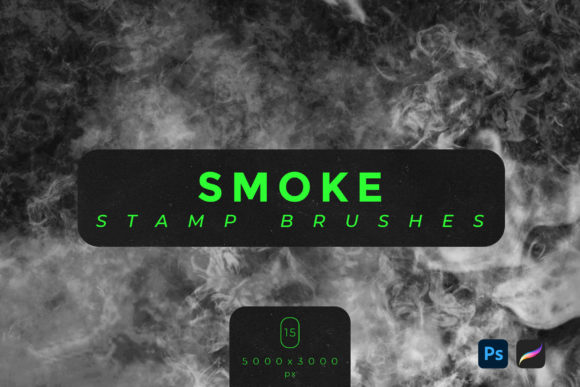
There is a specific kind of frustration that comes with trying to paint realistic smoke from scratch. You spend hours adjusting opacity, blending modes, and brush hardness, only to end up with something that looks more like gray cotton balls than ethereal vapor. This is where Smoke Stamp Brushes change the game entirely. Instead of laboring over every wisp and curl, you get access to pre-rendered, high-resolution textures that behave like real atmospheric elements. With a set of fifteen distinct brushes, you can introduce mystery, drama, and professional-grade visual effects into your work with just a few clicks.
These tools are not just about saving time; they are about achieving a level of realism that is difficult to replicate manually. The collection includes files compatible with both Adobe Photoshop and Procreate, ensuring that whether you are working on a desktop workstation or an iPad on the go, you have the same powerful assets at your fingertips. Each stamp is crafted at a massive 5000x3000 pixels, meaning you can scale them up for large-format prints or down for subtle social media graphics without losing clarity or introducing pixelation.
Why Manual Painting Often Falls Short
Smoke is chaotic. It does not follow strict geometric rules, and its transparency varies wildly depending on light source, density, and wind. When you try to paint this manually, you are fighting against the natural randomness of the subject. Most digital artists, even experienced ones, struggle to get the "bokeh" effect right—the way light catches tiny particles in the air. This is why many professionals turn to stamp brushes. They provide a base of authentic texture that you can then manipulate, rather than building from zero.
Using these stamps allows you to focus on composition and lighting rather than texture generation. You place the smoke, adjust the blend mode to "Screen" or "Lighten," and instantly see how it interacts with your underlying image. It transforms a flat, sterile digital illustration into something that feels alive and breathable.
Real-World Applications for Creators and Marketers
The utility of these brushes extends far beyond fine art. In today’s visual economy, atmosphere sells. Here is how different users can leverage these tools in their daily workflows.
E-Commerce and Product Photography
Imagine you are selling a premium perfume or a sleek tech gadget. A standard white-background product shot is clean, but it lacks emotion. By adding subtle dust flying particles or a thin veil of dramatic mystery overlays, you elevate the product from a commodity to an experience. The smoke suggests scent, warmth, or cutting-edge technology. For small business owners who cannot afford expensive studio fog machines, these digital overlays offer a cost-effective alternative that looks just as convincing on screen.
Social Media Content Creation
Influencers and bloggers need to stop the scroll. A portrait photo with added VFX effect stamp brushes can create a moody, cinematic vibe that stands out in a crowded feed. Whether it is a fitness coach wanting to show intensity with swirling dust or a travel blogger adding a dreamy haze to a landscape, these brushes provide instant stylistic upgrades. The key is subtlety; a light touch of bokeh smoke can make a selfie look editorial rather than amateur.
Digital Illustration and Concept Art
For concept artists working in gaming or film, environment design relies heavily on atmospheric perspective. Smoke and fog help separate foreground elements from the background, creating depth. Instead of painting every tree in a forest, an artist can use smoke stamps to obscure distant details, guiding the viewer’s eye to the focal point. This technique is essential for creating a sense of scale and immersion in fantasy or sci-fi scenes.
Technical Considerations Before You Start
While these tools are designed for ease of use, getting the best results requires understanding a few technical basics. First, note that this pack only works with Adobe Photoshop and Procreate software. If you are using Clip Studio Paint, GIMP, or other programs, these specific .ABR and .Brushset files will not load natively. Always check your software compatibility before purchasing or downloading.
Second, consider the resolution. At 5000x3000 px, these brushes are heavy. They are designed for high-quality output. If you are working on a low-spec tablet, you might experience slight lag when applying large stamps. It is advisable to work in layers. Keep your smoke on a separate layer from your main subject. This allows you to lower the opacity, change the color tint, or erase parts of the smoke without damaging the original artwork.
Choosing the Right Blend Mode
The magic of smoke textures lies in blending. Typically, you will want to set your layer blend mode to Screen, Add, or Lighten. These modes discard the black background of the brush stamp and keep only the lighter, smoky pixels. If your smoke looks too harsh, reduce the layer opacity to 30–50%. For a darker, grittier look, such as dust or ash, try using Multiply or Overlay modes, though this works best if the brush has transparent blacks rather than pure black backgrounds.
Enhancing Narrative Through Visual Effects
Beyond aesthetics, smoke tells a story. In educational materials or historical blogs, adding a sepia-toned dust overlay can evoke a sense of age and history. For horror or thriller genres, thick, opaque smoke creates tension and hides threats, engaging the viewer’s imagination. Educators creating presentation slides can use subtle bokeh effects to make text pop against busy backgrounds, ensuring readability while maintaining visual interest.
Freelancers offering graphic design services can use these brushes to upsell their packages. Offering a "cinematic edit" option that includes atmospheric VFX effects can differentiate your portfolio from competitors who only offer basic color correction. It shows attention to detail and a mastery of mood.
What to Look for in Quality Smoke Assets
Not all brush sets are created equal. When evaluating tools like these, look for variety. A good pack should include different densities—some wispy and light, others thick and billowing. This set of fifteen brushes covers that spectrum, including specific types like dust flying particles and bokeh smoke. Variety prevents your work from looking repetitive.
Also, consider the file format. The inclusion of both .ABR (for Photoshop) and .Brushset (for Procreate) indicates a developer who understands the cross-platform needs of modern creators. This flexibility means you can start a project on your iPad during a commute and finish it on your desktop without losing asset compatibility.
Ultimately, Smoke Stamp Brushes are about empowering you to create complex visual narratives without getting bogged down in technical drudgery. They bridge the gap between amateur experimentation and professional polish. Whether you are designing a movie poster, enhancing a product photo, or simply experimenting with digital art for fun, these tools provide the atmospheric depth that makes images memorable. By integrating these elements thoughtfully, you transform flat pixels into living, breathing scenes that resonate with your audience.