Mastering Dashed Lines in Procreate
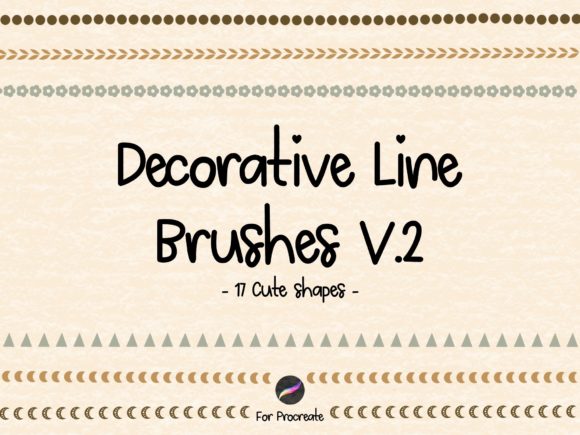
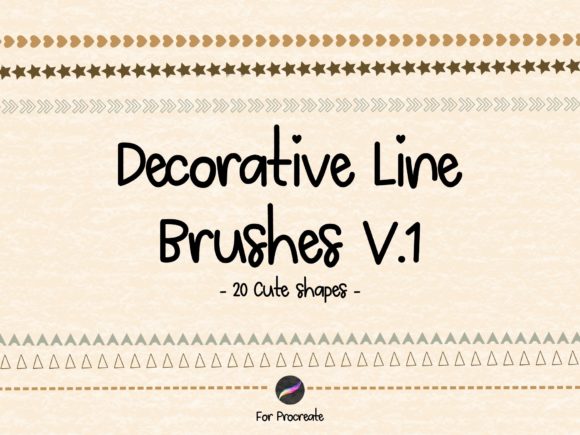
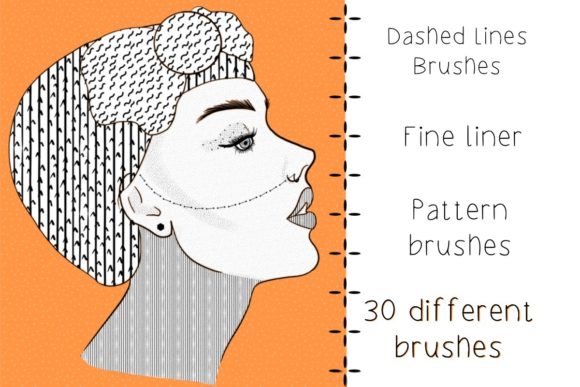
In the world of digital illustration, precision often meets personality. For designers and artists working within the iPad ecosystem, finding tools that bridge the gap between technical accuracy and hand-drawn charm can be a challenge. This is where specialized brush sets become indispensable assets. The Procreate Dashed Lines Fineliner Brushes collection offers a curated solution for creators who need more than just standard solid strokes. By integrating thirty distinct pattern fine liner and dashed line brushes into your workflow, you unlock a new level of versatility for everything from technical diagrams to whimsical social media graphics.
Unlike generic stroke settings that require manual adjustment for every line, these brushes are engineered to deliver consistent, clean patterns instantly. Whether you are crafting intricate packaging design layouts or sketching out ideas for a new brand identity, having immediate access to varied line weights and dash styles streamlines the creative process. The visual appeal lies in their crispness; they mimic the reliability of traditional fineliners while offering the flexibility of digital art. This combination makes them an essential addition to any modern typography or illustration toolkit.
Elevating Visual Hierarchy and Brand Consistency
One of the most critical aspects of effective design is visual hierarchy. How you guide the viewer’s eye through a composition determines whether your message is understood or ignored. Dashed lines serve as subtle yet powerful directional cues. In editorial design, they can separate sections without the heaviness of a solid border. In web design, they might indicate a clickable area or a boundary between content blocks. The Procreate Dashed Lines Fineliner Brushes allow you to maintain this structural integrity while adding a layer of stylistic flair that solid lines often lack.
For entrepreneurs and small business owners, consistency is key to building trust. When your social media graphics, product packaging, and digital advertisements share a cohesive visual language, your brand becomes more recognizable. These brushes help achieve that uniformity. Imagine creating a series of Instagram stories where each frame uses the same dashed border style to highlight key points. This repetition creates a rhythm that audiences subconsciously associate with your brand. It is not just about aesthetics; it is about professional perception. A polished, consistent look signals attention to detail, which translates to perceived quality in your products or services.
Moreover, the psychological impact of line styles should not be underestimated. Solid lines can feel rigid or authoritative, while dashed lines often convey movement, temporariness, or playfulness. By choosing the right dash pattern, you influence the tone of your communication. A tight, small dash might suggest precision and technical expertise, ideal for architectural sketches or instructional guides. A looser, larger dash could imply creativity and openness, perfect for lifestyle blogging or craft tutorials. Understanding these nuances allows you to tailor your visual output to resonate with your specific audience.
Practical Applications Across Creative Industries
The versatility of this brush set extends far beyond simple outlining. For publishers and content creators, these tools are invaluable for creating engaging infographics. Dashed lines can connect data points, illustrate processes, or highlight quotes in a way that feels organic rather than mechanical. In the realm of logo design, while vector software remains the standard for final output, conceptualizing ideas in Procreate with these brushes can speed up the brainstorming phase. You can quickly iterate on how a dashed element might interact with a script font or a sans serif typeface before moving to more rigid platforms.
Crafters and hobbyists will find particular joy in using these brushes for digital planning and journaling. The ability to create custom dividers, frames, and decorative elements adds a personal touch to digital planners that pre-made stickers often lack. Similarly, marketers can use these assets to create eye-catching email headers or blog post featured images. The thirty different patterns included ensure that you rarely repeat the exact same look, keeping your content fresh and dynamic. From subtle dotted lines for understated elegance to bold dashed strokes for high-impact statements, the range covers most design needs.
It is also worth noting how these brushes complement other design assets. They pair exceptionally well with handwritten fonts, creating a cohesive "hand-crafted" aesthetic that is currently trending in boutique branding. When combined with modern typography, the contrast between the structured text and the playful dashed lines creates visual interest without clutter. This balance is crucial in packaging design, where space is limited, and every element must earn its place. By using these brushes, you can add texture and depth to flat designs, making them stand out on crowded shelves or digital marketplaces.
Installation and Best Practices for Use
Getting started with this toolset is straightforward, but following the correct steps ensures a smooth experience. After you purchase the product, you will receive a compressed file containing the amazing thirty brushes. It is crucial to remember that these brushes are only compatible with the Procreate App on iPad. To install them, you must first unzip the file on your device. Once unzipped, send the file directly to your tablet. Tapping on the file will automatically transfer it to your Procreate library, ready for immediate use. This seamless integration means you can start creating within minutes.
To maximize the potential of these brushes, consider testing them on different layers and with varying opacity settings. While they are designed to be crisp, adjusting the flow can create softer, more atmospheric effects suitable for background textures. Additionally, experiment with color. Dashed lines do not have to be black; using brand colors or muted pastels can integrate them more naturally into your compositions. Always review your work at different zoom levels to ensure the dash patterns remain clear and legible, especially if the final output will be viewed on smaller mobile screens.
Respecting intellectual property is vital in the creative community. Please note that it is not allowed to sell these brushes as your own. They are licensed for your personal and commercial projects, meaning you can use them in client work, products you sell, or marketing materials, but you cannot redistribute the brush files themselves. If you encounter any problems during installation or usage, feel free to reach out for support. The creator, Resi, encourages users to text with any issues, ensuring a helpful and responsive experience. Have a lot of fun being creative, and let these tools enhance your artistic expression.