Evaluating Multiline Brushes for Procreate: A Practical Guide for Digital Artists
Digital illustration has evolved rapidly, moving from simple pixel manipulation to complex, texture-rich workflows that mimic traditional media. For artists using the iPad, the choice of tools significantly impacts both efficiency and artistic expression. Among the myriad of resources available, Multiline Brushes for Procreate have emerged as a specialized category worth examining. These tools are not merely about adding lines; they represent a shift toward procedural efficiency and stylistic consistency. Understanding what these brushes offer, how they compare to standard options, and when they fit into your workflow is essential for making an informed decision about your digital toolkit.
Understanding the Functionality of Multiline Tools
At their core, multiline brushes are designed to generate multiple parallel strokes or intricate patterns with a single gesture. Unlike a standard round brush that lays down a uniform mark, a multiline brush might create hatching, cross-hatching, or decorative borders automatically. This functionality is particularly useful for artists who rely on line weight variation and texture to define form without relying heavily on shading or color blending.
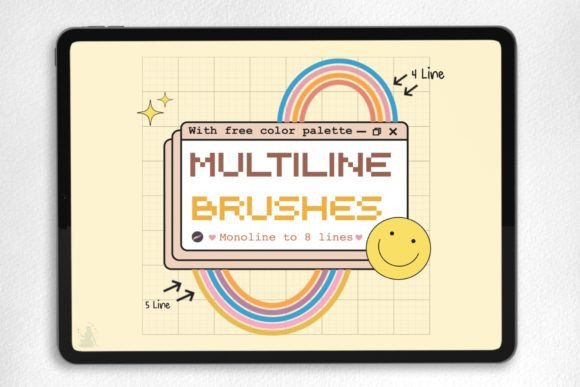
The specific set described as "Multiline Brushes for Procreate" typically comes as a single .brushset file. This format is native to the Procreate ecosystem, ensuring seamless integration. When you download such a package, it often includes not just the brushes but also complementary color palettes, suggesting a curated approach to design. The ease of installation—tapping the file in the iPad’s Files app to automatically import it into Procreate—lowers the technical barrier, allowing artists to focus on creation rather than configuration.
Comparing Multiline Brushes to Standard Alternatives
To evaluate the value of multiline brushes, it is helpful to compare them against three common alternatives: standard single-stroke brushes, manual hatching techniques, and vector-based tools.
Standard Single-Stroke Brushes
Most default Procreate brushes are designed for singular, controlled marks. They offer precision but require significant hand effort to create textures like fabric weaves, hair strands, or architectural details. Using standard brushes for these effects can be time-consuming and may result in inconsistent spacing. Multiline brushes automate this repetition, ensuring uniformity. However, the tradeoff is a potential loss of organic irregularity. While standard brushes allow for complete micro-control, multiline brushes impose a structural pattern that may feel rigid if not used thoughtfully.
Manual Hatching and Texturing
Traditional digital artists often build texture manually, layering individual strokes to create depth. This method offers the highest degree of artistic freedom and uniqueness. In contrast, multiline brushes provide a shortcut. They are ideal for rapid prototyping, comic book backgrounds, or stylized illustrations where speed is prioritized over bespoke texture. If your goal is hyper-realism or a highly personalized hand-drawn look, manual techniques may still be superior. However, for commercial work with tight deadlines, the efficiency of multiline tools can be a decisive advantage.
Vector-Based Applications
Some artists turn to vector software for clean, scalable lines. While vectors offer infinite scalability, they lack the tactile responsiveness and pressure sensitivity that Procreate provides. Multiline brushes in Procreate bridge this gap by offering structured lines that still react to Apple Pencil pressure and tilt. This hybrid approach allows for the cleanliness of patterned lines with the warmth of raster-based drawing.
Best-Fit Scenarios and Use Cases
Identifying when to use multiline brushes depends largely on your artistic style and project requirements. These tools are particularly effective in the following scenarios:
- Comic and Graphic Novel Art: Creating consistent background textures, speed lines, or screen tones can be accelerated significantly with multiline brushes.
- Fashion Illustration: Rendering fabric folds, stitching details, and patterned textiles becomes more efficient when you can generate parallel lines that follow the contour of the garment.
- Architectural Sketching: Adding depth through hatching or creating repetitive structural elements like bricks or tiles is streamlined with these tools.
- Decorative Lettering: Multiline brushes can add intricate borders and fill patterns to hand-lettered pieces without requiring manual precision.
In each of these cases, the brush set serves as a force multiplier, allowing the artist to achieve complex visual results with fewer strokes. The inclusion of a color palette in the download further supports this workflow by providing pre-selected hues that complement the linear styles, reducing decision fatigue during the creative process.
Limitations and Considerations
While multiline brushes offer distinct advantages, they are not a universal solution. Artists should be aware of several limitations before integrating them into their primary workflow.
Learning Curve for Control: Although installation is simple, mastering the application of multiline brushes requires practice. Because these brushes generate multiple lines simultaneously, controlling the spacing and direction relative to your subject matter can be challenging. Overuse can lead to visual clutter, where the texture overwhelms the form. It is crucial to adjust opacity and flow settings to integrate these lines subtly into the artwork.
Device Dependency: As noted in the product details, these brushes are strictly for use with the Procreate app on iPad. They are not compatible with desktop versions of Photoshop, Clip Studio Paint, or Android-based drawing apps. This limits their utility for artists who work across multiple platforms or prefer desktop workflows. If you switch between devices frequently, investing in platform-agnostic brush formats or creating your own custom brushes in other software might be a more flexible long-term strategy.
Stylistic Constraints: Multiline brushes inherently impose a specific aesthetic. If your style relies on loose, expressive, or chaotic mark-making, these structured tools may feel restrictive. They excel in ordered, geometric, or stylized contexts but may struggle to replicate the randomness of natural media like charcoal or wet watercolor.
Making an Informed Decision
Choosing whether to incorporate Multiline Brushes for Procreate into your library involves weighing efficiency against artistic control. For professionals working in commercial illustration, comics, or design, the time saved on repetitive texturing tasks can justify the investment. The ability to quickly generate complex patterns allows for faster iteration and client revisions.
However, for hobbyists or artists focused on fine art and expressive abstraction, the value proposition may be lower. In these cases, developing manual dexterity with standard brushes might yield more satisfying and unique results. It is also worth considering the cost versus benefit. Since many basic multiline effects can be replicated with careful manual work or free community brushes, premium sets should offer distinct quality, unique algorithms, or comprehensive support to be worthwhile.
When evaluating any brush set, look for transparency in what is included. A high-quality download, such as the one featuring a single .brushset file and accompanying palette, indicates a focused and user-friendly product. The simplicity of the installation process—downloading via the Files app and tapping to import—suggests a developer who understands the Procreate user experience. This ease of access reduces friction, allowing you to test the tools immediately without technical hurdles.
Final Thoughts on Integrating New Tools
Digital art tools are extensions of the artist’s intent. Multiline brushes are not a replacement for fundamental drawing skills but rather a specialized instrument for specific tasks. They shine when used intentionally to enhance structure, add texture, or speed up workflow in compatible styles. By understanding their strengths and limitations, you can decide if they align with your creative goals.
If you decide to explore this option, start by experimenting with low-opacity settings to blend the multiline effects with your existing layers. Observe how the brushes respond to different pressures and angles on your iPad. Over time, you will develop an intuition for when to let the brush do the heavy lifting and when to revert to manual control. This balanced approach ensures that your technology serves your art, rather than dictating it. Whether you are refining a professional portfolio or exploring new stylistic avenues, thoughtful tool selection remains a cornerstone of sustainable creative practice.