Dust Stamp Brushes: Instant Texture
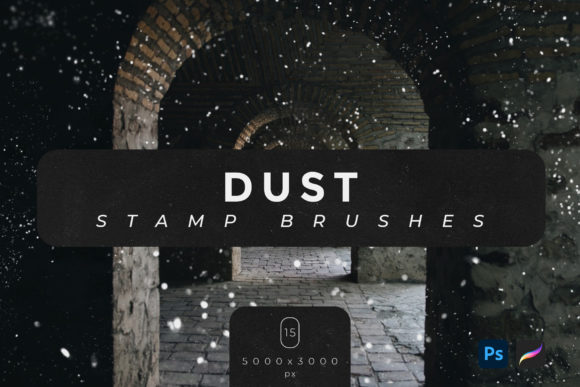
Adding realistic grit and atmosphere to digital artwork often requires hours of manual painting or complex layering techniques. Dust Stamp Brushes simplify this process, allowing artists to create authentic dust texture effects in just a few clicks. This collection includes fifteen high-resolution brushes designed specifically for Adobe Photoshop and Procreate, offering a streamlined workflow for anyone looking to enhance their visual projects with organic imperfections.
The core value of these tools lies in their ability to mimic the random, chaotic nature of real-world dust particles. Each brush is crafted at a dimension of 5000x3000 pixels, ensuring that the texture remains crisp and detailed even when applied to large-format prints or high-definition screens. Whether you are designing a vintage poster, editing a portrait, or creating concept art, these brushes provide an immediate layer of depth and realism that flat digital colors often lack.
Why Texture Matters in Digital Design
In the digital realm, perfection can sometimes feel sterile. Clean lines and smooth gradients are technically impressive, but they rarely evoke the tactile sensation of physical media. Dust, scratches, and grain introduce a sense of history and authenticity. For marketers and bloggers, this subtle aging effect can make a brand feel more established and trustworthy. For fine artists, it adds emotional weight and narrative context to a piece.
Using Dust Stamp Brushes allows creators to bypass the steep learning curve associated with manual texture creation. Instead of spending time tweaking opacity masks and noise filters, users can apply pre-made, high-quality stamps that blend naturally with underlying layers. This efficiency is crucial for professionals working under tight deadlines, as well as hobbyists who want to focus on composition rather than technical minutiae.
Tailored Benefits for Different Creators
While the tool itself is universal, its application varies significantly depending on the user’s goals and experience level. Understanding how different audiences interact with these brushes helps in determining if they are the right fit for your specific needs.
For Beginners and Hobbyists
If you are new to digital art, the prospect of creating realistic textures can be intimidating. Beginners often struggle with brush settings, pressure sensitivity, and layer modes. These dust brushes eliminate much of that guesswork. Since they work seamlessly with both Adobe Photoshop and Procreate, you can start experimenting immediately regardless of your preferred platform. The "click-and-place" nature of stamp brushes means you do not need advanced drawing skills to achieve professional-looking results. It serves as an excellent learning tool, allowing novices to study how dust settles and accumulates in real life by observing the pre-designed patterns.
For Professional Designers and Freelancers
Time is money for freelancers and agency designers. When working on client projects such as book covers, album art, or advertising campaigns, consistency and speed are paramount. The included .ABR and .Brushset files integrate directly into existing workflows, requiring no conversion or setup. Professionals value the high resolution of 5000x3000 pixels, which ensures that the texture holds up in print production without pixelation. Furthermore, the variety within the fifteen-brush pack allows for nuanced control—some stamps may offer fine, scattered particles for subtle aging, while others provide dense clusters for dramatic, gritty effects. This flexibility enables designers to tailor the intensity of the effect to match the brand’s voice.
For Photographers and Photo Editors
Photo manipulation often involves blending multiple images or adding atmospheric elements to enhance mood. Dust overlays are a staple in cinematic editing, helping to unify disparate elements by placing them in a shared, textured environment. Using Dust Stamp Brushes, photographers can add foreground interest, simulate lens dirt for a vintage look, or create a sense of depth in landscape edits. The ability to toggle opacity and blend modes in Photoshop or Procreate gives editors precise control over how the dust interacts with light and shadow in the original photograph.
For Educators and Content Creators
Educators teaching digital art or design can use these brushes to demonstrate the importance of texture in composition. They serve as practical examples for lessons on layering, masking, and non-destructive editing. Similarly, content creators and bloggers who produce their own graphics can use these tools to elevate social media posts, making them stand out in crowded feeds. A touch of dust texture can transform a standard quote graphic into something that feels curated and artistic, increasing engagement and shareability.
Technical Considerations and Compatibility
Before integrating any new asset into your workflow, it is essential to understand its technical specifications. These Dust Stamp Brushes are optimized exclusively for Adobe Photoshop and Procreate. If you use other software such as Clip Studio Paint, Affinity Photo, or GIMP, these specific files will not be compatible. However, for users within the Adobe ecosystem or iPad artists using Procreate, the integration is seamless.
The package includes two file formats: .ABR for Photoshop and .Brushset for Procreate. This dual format support ensures that you can maintain a consistent workflow across desktop and tablet devices. The high resolution of 5000x3000 pixels is a significant advantage, as many free brush packs offer lower resolutions that break down when scaled up. This quality ensures long-term usefulness, as the brushes remain relevant even as display and print standards evolve.
Evaluating Fit for Your Projects
To determine if this brush set aligns with your current needs, consider the following factors:
- Project Type: Are you working on designs that benefit from organic, imperfect textures? If your style is strictly minimalist or vector-based, these brushes may see limited use. However, for illustrative, photographic, or mixed-media projects, they are invaluable.
- Software Preference: Confirm that you are using either Photoshop or Procreate. Without compatibility, the assets cannot be utilized.
- Desired Aesthetic: Do you aim for a vintage, grunge, cinematic, or realistic look? Dust textures are versatile but lean towards aged or atmospheric styles. If your work requires clean, futuristic aesthetics, these may not be the primary tool you reach for.
- Efficiency Needs: If you currently spend significant time creating custom textures from scratch, this pack offers a direct time-saving solution. If you enjoy the process of building textures manually, you might prefer creating your own, though having these as a backup can still be useful for quick drafts.
Practical Application Tips
To get the most out of your Dust Stamp Brushes, experiment with layer blend modes. Modes like "Overlay," "Soft Light," and "Multiply" often yield the most natural results, allowing the dust to interact with the colors beneath rather than sitting on top as a flat image. Adjusting the opacity is also key; subtle dust is often more effective than heavy, obvious layers. Additionally, varying the size of the brush stamp can create a sense of perspective, with larger particles appearing closer to the viewer and finer dust receding into the background.
Ultimately, these fifteen brushes represent a practical investment for anyone looking to add depth and character to their digital work. By providing high-quality, ready-to-use assets, they remove technical barriers and allow creativity to take center stage. Whether you are refining a professional portfolio or exploring digital art for the first time, understanding how to effectively apply texture can significantly elevate the impact of your visual communication.